
Behind the scenes · Geeky stuff
How Scree is put together
The parent homepage is the promise: one set of rules for home Wi‑Fi and kids’ phones. This page is the plumbing — gateway, Cloud Manager, apps, and what’s shipping vs still baking.
The stack
Three layers. One household policy.
Set the rules once. They enforce on the box at home, stay in sync in the cloud, and travel with kids’ phones when they leave Wi‑Fi.
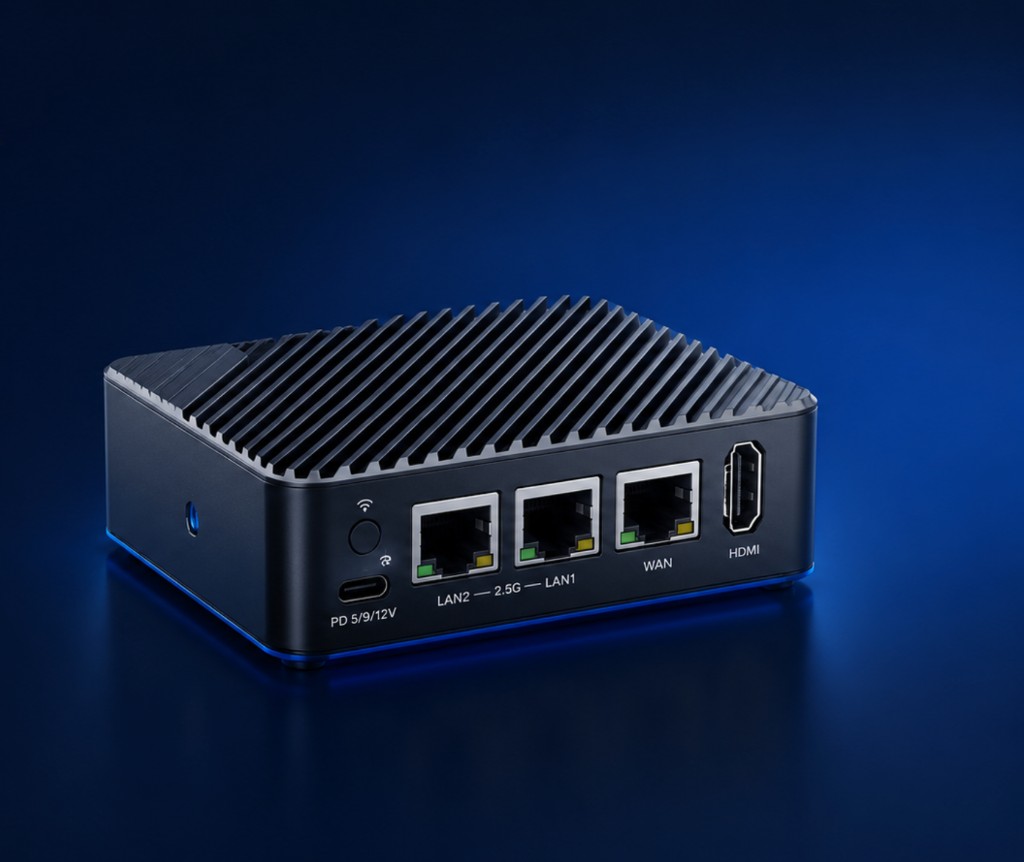
- 1 · Home gateway Sits on your NBN. Filters the Wi‑Fi. Shared screen time and blocks apply to everything on the network.
- 2 · Scree Cloud Manager The web control centre at parent.screegateway.com.au — source of truth for household policy, then pushed to the gateway.
- 3 · Companion apps Parent app to manage and pause. Child app so the same rules follow phones and tablets on mobile data.
At home
The box does the hard work on your Wi‑Fi.
Kids connect like normal. No per-laptop filter install for home browsing. Bedtime, daily time, and category blocks run on the network itself.
- Shared daily time Used up on the tablet doesn’t restart on the laptop.
- Blocks that stick Adult, social, gaming, chat — whatever you turn on — across the home network.
- Pause from your phone Dinner or bedtime: one tap for the devices you’re managing.
Scree Cloud Manager
The control centre for your Home.
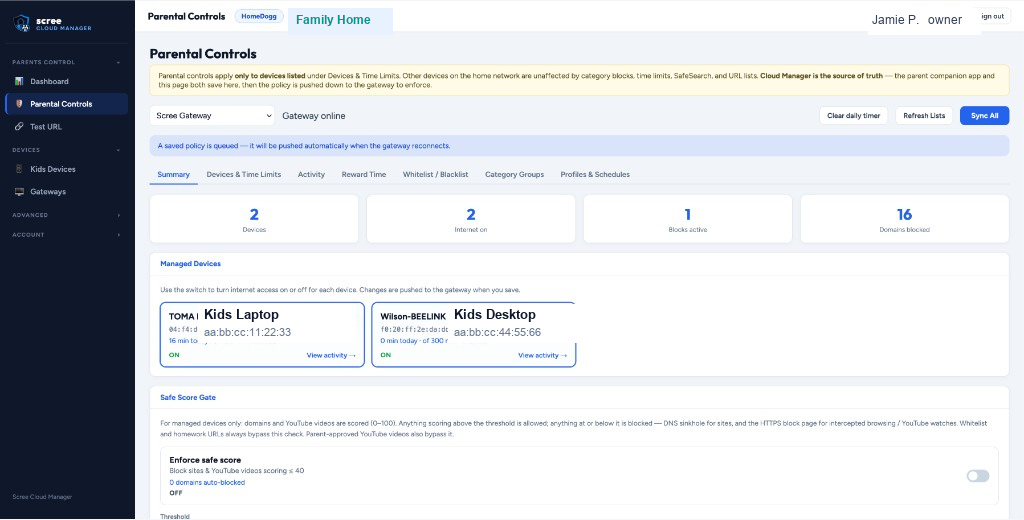
Scree Cloud Manager is where household policy lives — parent.screegateway.com.au. You edit devices, time limits, categories, Safe Score, and more, then Save & push to the gateway. The parent companion app uses the same account and saves to the same place. We sync rules — not your kids’ browsing history.
- Dashboard — gateway online/offline, pending device joins
- Parental Controls — devices & time, categories, reward time, lists, profiles
- Kids Devices — Apple MDM enrollment and phone rules away from home
- Gateways — pair, rename, open the box remotely over the tunnel
- Family — invite co-parents; one Home, one subscription
Also on the box
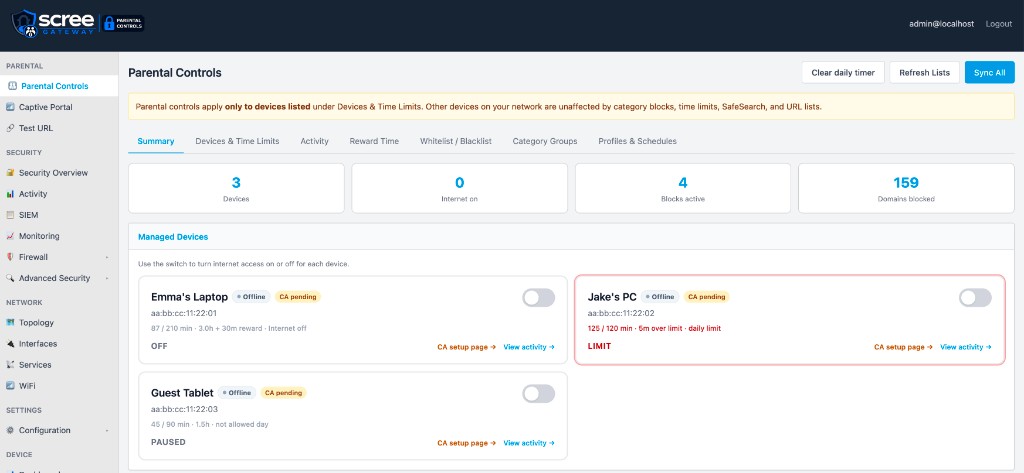
Same parental screen on the gateway when you’re home
The LAN portal mirrors the controls for local admin. When the Home is paired, Cloud Manager is the source of truth — save there, push down, gateway enforces.
Activity
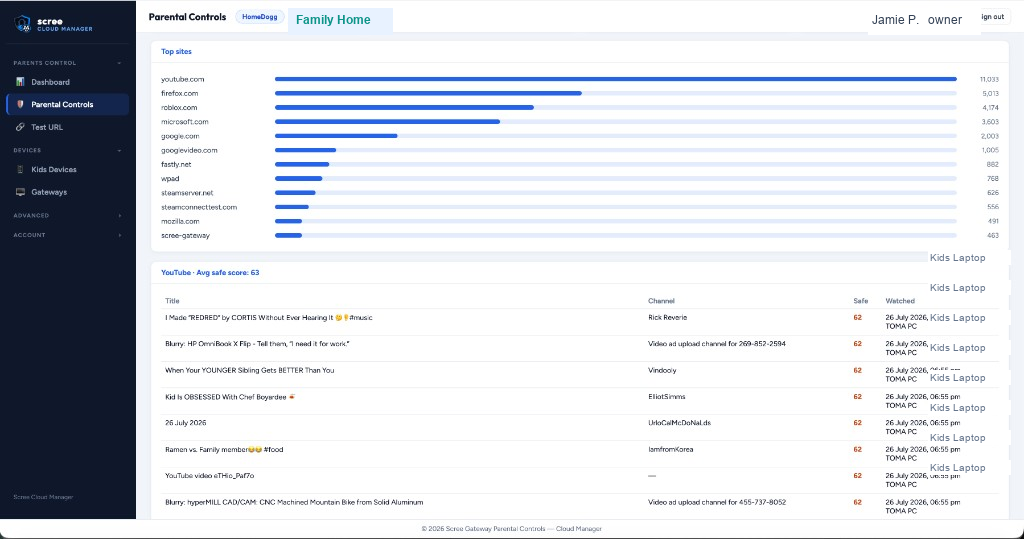
See sites and YouTube — proof, not guesses.
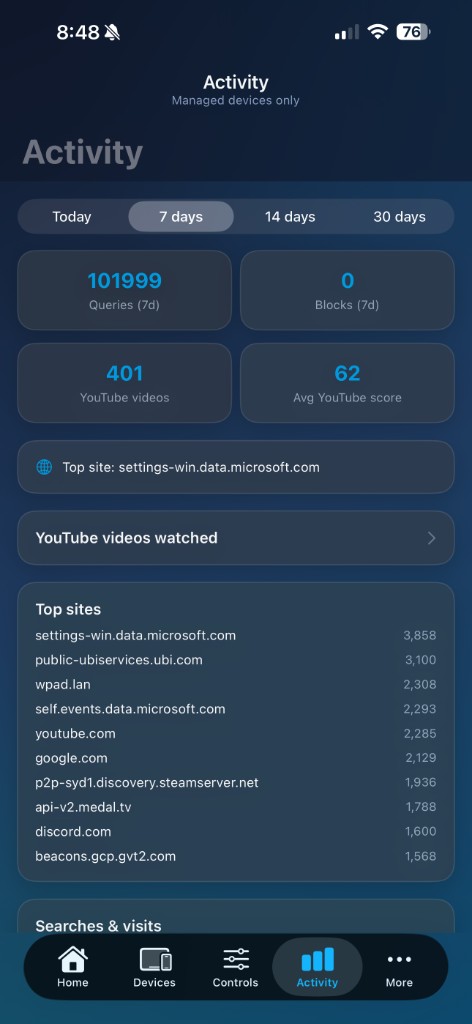
Top sites, searches, and videos on managed devices — in Cloud Manager and the parent app. Activity is stored on your Scree box at home. We can’t browse it. Only the rules sync to the cloud.
- Sites visited on managed kids’ devices
- YouTube titles where we can capture them
- Home devices plus managed phones and tablets in one view
Safe Score
Titles lie. Scoring looks inside the video.
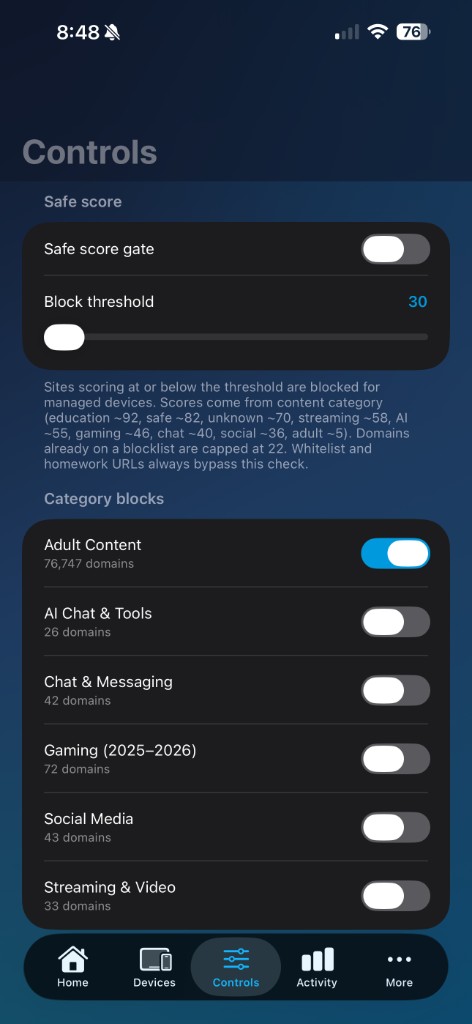
Safe Score is live for parents who turn it on: set a threshold, layer category blocks, keep a shared daily time budget. We’re still deepening what the AI can catch — that’s the “next” work on the roadmap, not a promise that scoring doesn’t exist yet.
- Parent-set Safe Score threshold
- Daily time that spans managed devices
- Category blocks for adult, social, chat, gaming and more
Apps
Parent app now. Child app rolling out.
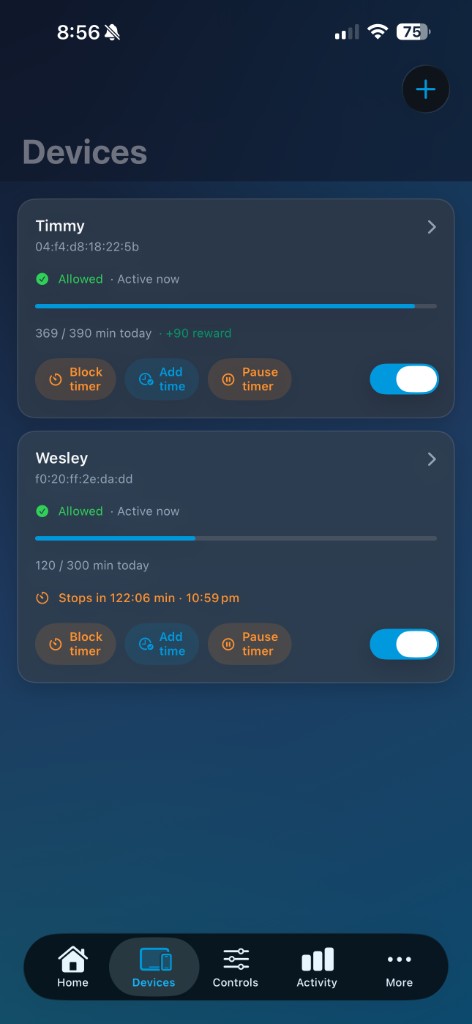
The parent app is how you pause, reward time, and change rules from your phone. The child app is in trial so the same household policy follows smartphones and tablets on mobile data — not only home Wi‑Fi.
- Parent: manage rules and see status from your phone
- Child (trial): on-device protection away from home
- Same daily limits and categories as the gateway
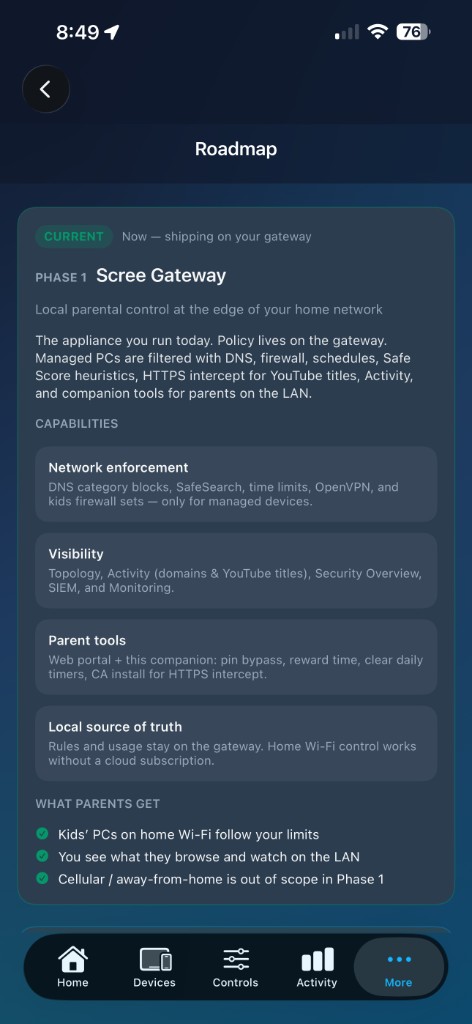
Roadmap
What’s done, what’s in trial, what’s next.
No spin. This is where we are — aligned with what the parent homepage claims.
-
1 Gateway + Cloud Manager + parent app
Home Wi‑Fi enforcement and Scree Cloud Manager as the policy source of truth.
The gateway filters the home network. Cloud Manager holds household policy and pushes it down. Parent app mirrors the same account — schedules, categories, pause, reward time.
- One policy for devices on home Wi‑Fi
- Save & push from Cloud Manager
- Manage from web or parent phone
-
2 Child companion app
Same rules when kids leave home Wi‑Fi.
On-device protection for iOS and Android so policy follows the phone or tablet on mobile data — still counting against the same household daily allowance.
- Away-from-home coverage
- Same blocks and time limits as home
- Doesn’t need to hairpin all traffic via your house
-
3 Deeper Safe Score
Safer than titles alone — and getting sharper.
Safe Score already looks past titles. Next work is stronger scoring across more video and link signals, refreshed into cloud policy and cached on the gateway — so the box stays fast while AI stays in the cloud.
- Richer signals than title/keyword heuristics
- Parent still sets the threshold
- Gateway stays fast; heavy AI stays off-box
Want early access?
Same waitlist as the parent homepage. Gateway, Cloud Manager, apps — we’ll tell you when you can get one.
Talk to Scree
Early access, home installs, or partner questions — Cheltenham, Melbourne.