Scree

Parent companion apps

Manage Scree from your phone

Install Scree Parent Companion on iPhone or Android. Sign in with the same email and password as Scree Cloud Manager — control gateways, categories, devices, and supervised iPhone app visibility on the go.

iPhone & iPad

Scree Parent Companion · v1.1.3

App Store download. Works with your Scree Cloud account from anywhere — home Wi‑Fi or mobile data.

  • Gateway status & device controls
  • Categories, schedules & approvals
  • iPhone app visibility (clean-phone mode via MDM)

com.scree.parentalcompanion
Android

Scree Parent Companion · v1.1.2

Google Play download. Same cloud sign-in and feature parity with the iOS app.

  • Home, Devices, Controls & Activity tabs
  • Policy sync with Scree Cloud
  • iPhone app visibility for supervised kids’ iPhones

com.scree.parent

How to get started

  1. Create your home in Cloud Manager Sign up at parent.screegateway.com.au and pair your Scree Gateway.
  2. Install the parent app Use the App Store or Google Play button above on the phone you want to manage from.
  3. Sign in with the same account Email + password — not a separate app account. MFA works if enabled on your profile.
  4. Manage on the go Pause internet, edit categories, approve requests, and configure supervised iPhone app visibility.

What you can do in the app

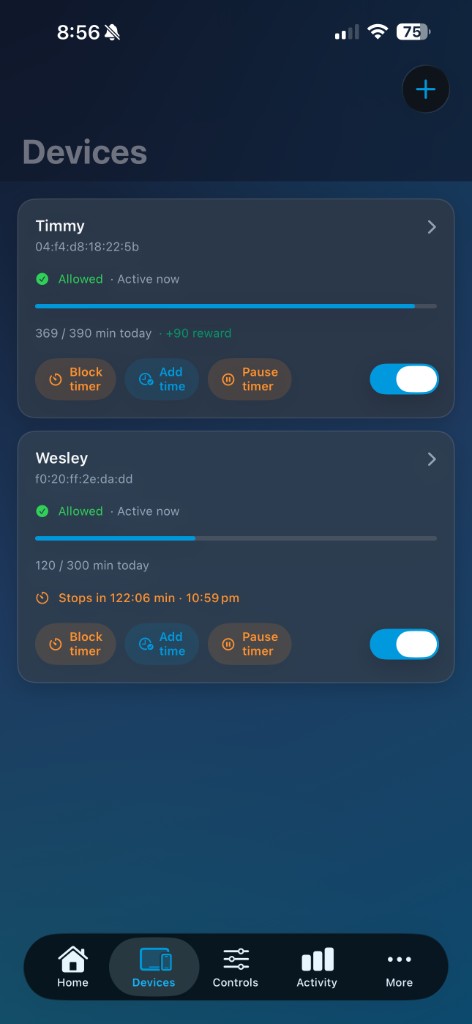
Devices screen — manage kids’ devices and app visibility
Devices & app visibility
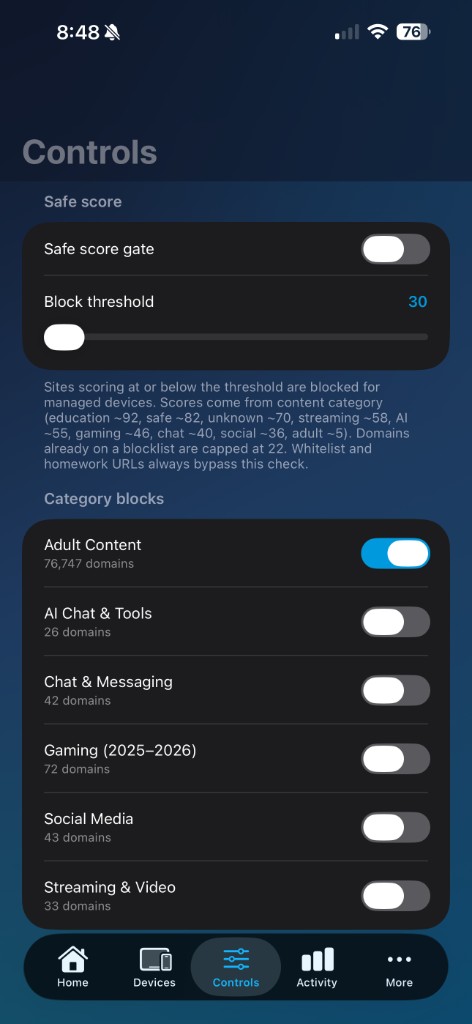
Controls screen — category toggles and Safe Score
Parental controls
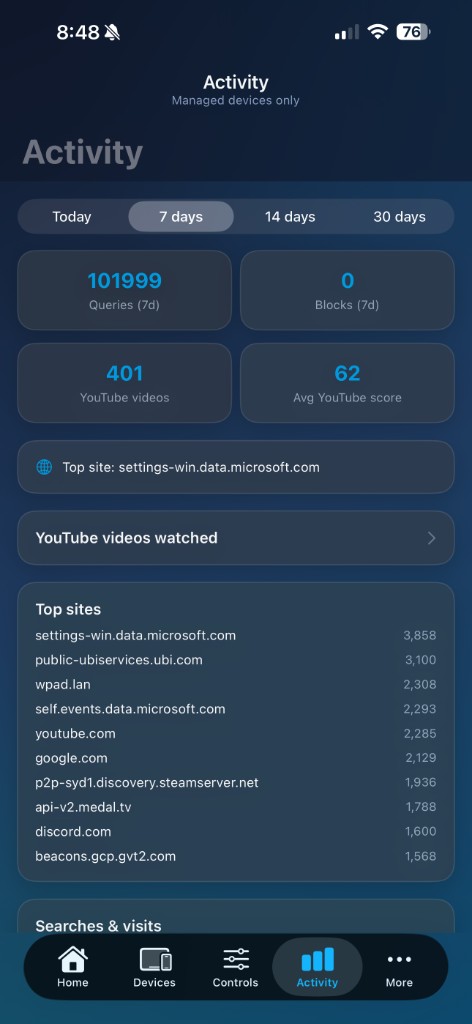
Activity screen — sites visited and blocks
Activity & blocks

More in the browser

Some features stay in Scree Cloud Manager on Safari or Chrome — Kids Devices MDM enrollment, subscription & billing, anti-tamper Activator downloads, and family members.

Need help? cloudsupport@screegateway.com.au